
Adult AI Roleplay: What Actually Works in 2026
The Roleplay Scorecard: Five Apps, Six Ways a Scene Breaks
Most adult AI roleplay doesn't fail on explicitness. It fails around turn forty. She forgets your name, drops the scenario, then sends a photo that belongs to a different story. So I scored five apps on the one thing I care about: whether the scene holds.
Read the table as a walkthrough of a scene going wrong, where each row is a place it can break. Read across a row to see which apps survive that break, or down a column to see where an app runs out of road.
| Where the scene breaks | GoLove.ai | Candy AI | Nomi | Kindroid | SillyTavern (self-hosted) |
|---|---|---|---|---|---|
| Scene memory | Strong: plot + preferences | Good | Strong (text) | Strong (text) | DIY, model-dependent |
| In-character voice | Strong: live calls + voice messages | Good | Good | Good | DIY add-ons |
| In-chat photos matched to scene | Strong: requested in chat | Good, token-based | Basic | Basic | DIY image backend |
| Video | Strong: video generated with your character + video actions | Good (Live Action) | Not core | Not core | Not built in |
| Custom character builder | Strong: Realistic / Anime / Trans + Design with AI | Strong | Good | Good | Maximum control |
| Setup friction | Low: chat from Explore | Low | Low | Low | High |
Ratings are qualitative and based on how each product is built. They don't come from a lab benchmark.
Nomi and Kindroid are genuinely good at text memory, and nothing touches SillyTavern for control. GoLove.ai still gets my pick because it's the only one that carries a single scene across text, voice, photos and video without kicking you out to another tool. If you want to check the memory row yourself, Explore is the fastest way in, since one tap opens a chat.
Scene Memory: Why Roleplay Falls Apart After an Hour
Every model reads a limited window of recent messages. Once your scene scrolls past that window, its details scroll out with it, unless the app has saved them somewhere else.
HEAR HER SAY IT
Real-time voice calls and voice notes.

Context Loss vs Persistent Memory
Context is short-term: whatever fits in the window right now. Persistent memory is stored separately and fed back to the model when it's relevant. Nomi and Kindroid handle that stored kind well for text, which is why their long chats feel steadier than most. GoLove's Memory does the same job for plot details and your preferences, and it keeps them in the same thread where the photos show up (that's the part I care about most).
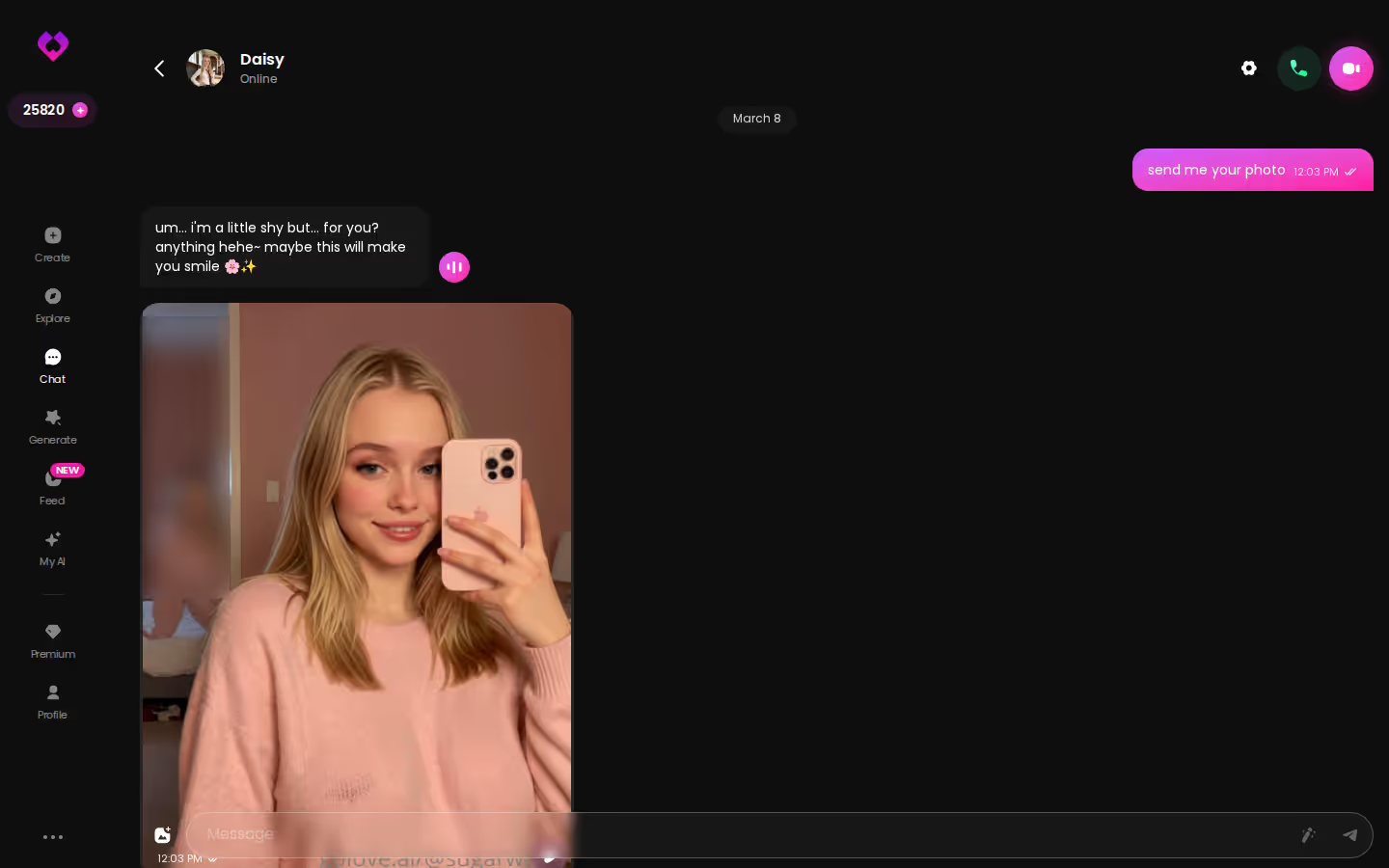
Character Drift and Repetition
Tone goes first. A dominant character turns polite, or a shy one gets forward out of nowhere. After that, the replies start recycling the same sentence shapes, and either sign means the model is losing its grip on the character sheet.
Picking Up Yesterday's Scene
Want the real test? Come back the next day. If the memory isn't persisting, you'll see one of these:
- Re-introductions: she asks your name or the setting again.
- Reset tone: the relationship feels like day one again.
- Mismatched media: a photo ignores the outfit or location you set up.
When She Sends a Photo Mid-Scene: Voice, Selfies and Clips
The media rows are where most apps break the scene without telling you. Let me walk through one mobile arc, step by step, using only what's built into GoLove's chat.
Asking for a Photo Without Leaving the Chat
It starts with a flirty opener, and she teases back. A few messages in, you ask for a selfie. Request Photos in Chat keeps that ask inside the conversation, so the picture arrives in the same thread, right under the lines that set it up. It also gets saved to her per-character Gallery, sorted by date.
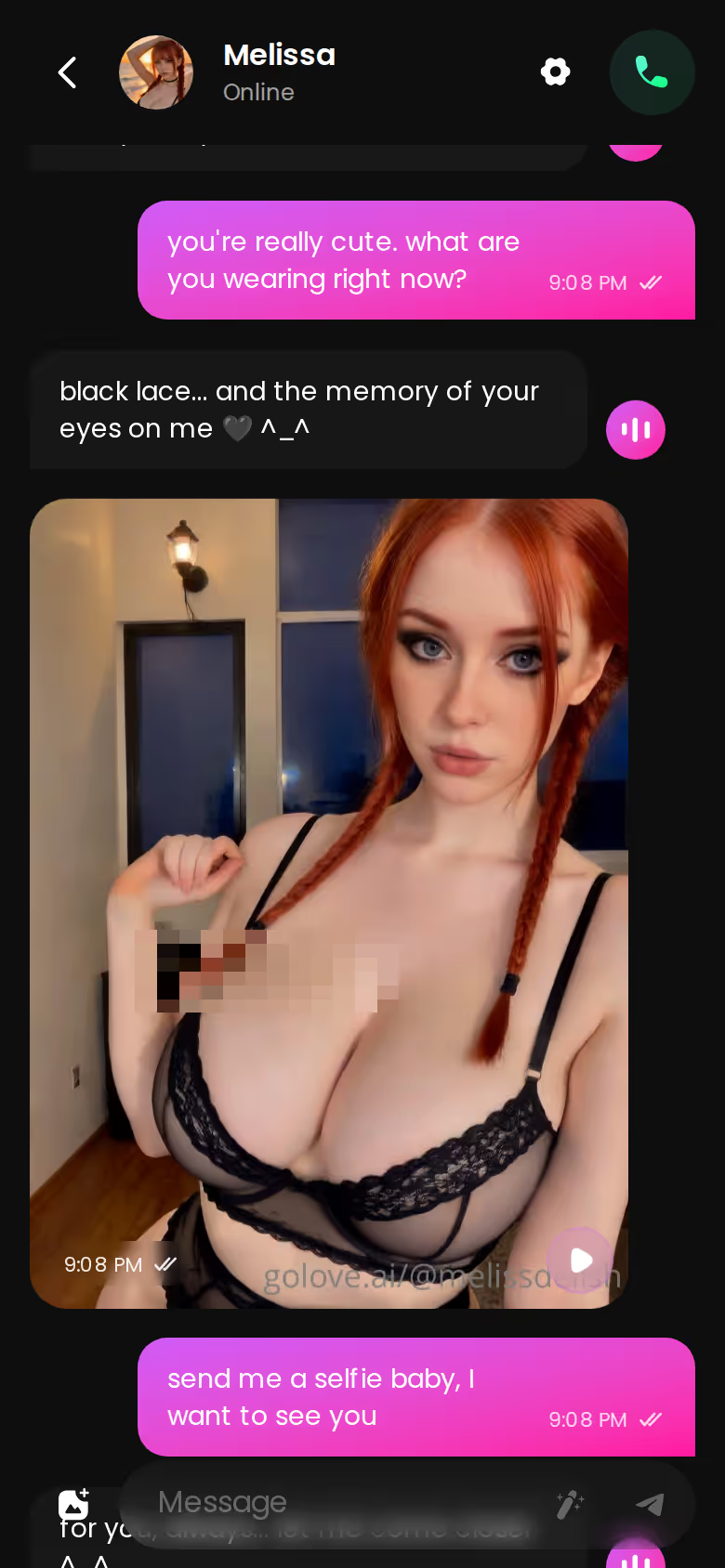
Other apps send you off to a separate generator tab, and that's exactly where immersion breaks. You stop talking to her and start filling in a form, then you come back to a chat that has no idea what you just made.
A Voice That Stays in Character
Voice Messages and live Voice Calls sit in the same chat. Chat Settings includes a voice picker, so a soft-spoken, submissive character doesn't answer you in a voice meant for someone else.
Generating a Short Clip With Her
Video is generated with the character herself, realistic or anime, not from a picture you upload. Video Actions opens a Select Action modal, you pick what she does, and GoLove renders the clip with the same woman you've been chatting with, so it extends the moment you're already in instead of starting a new one. That's where GoLove stuck the landing.
Building a Roleplay Partner Who Fits Your Scenario
The builder row matters because the character sheet is what memory holds on to. Vague characters drift faster.
Characters you can open right now
Tap any of them and the chat starts there






Realistic or Anime, Female or Trans
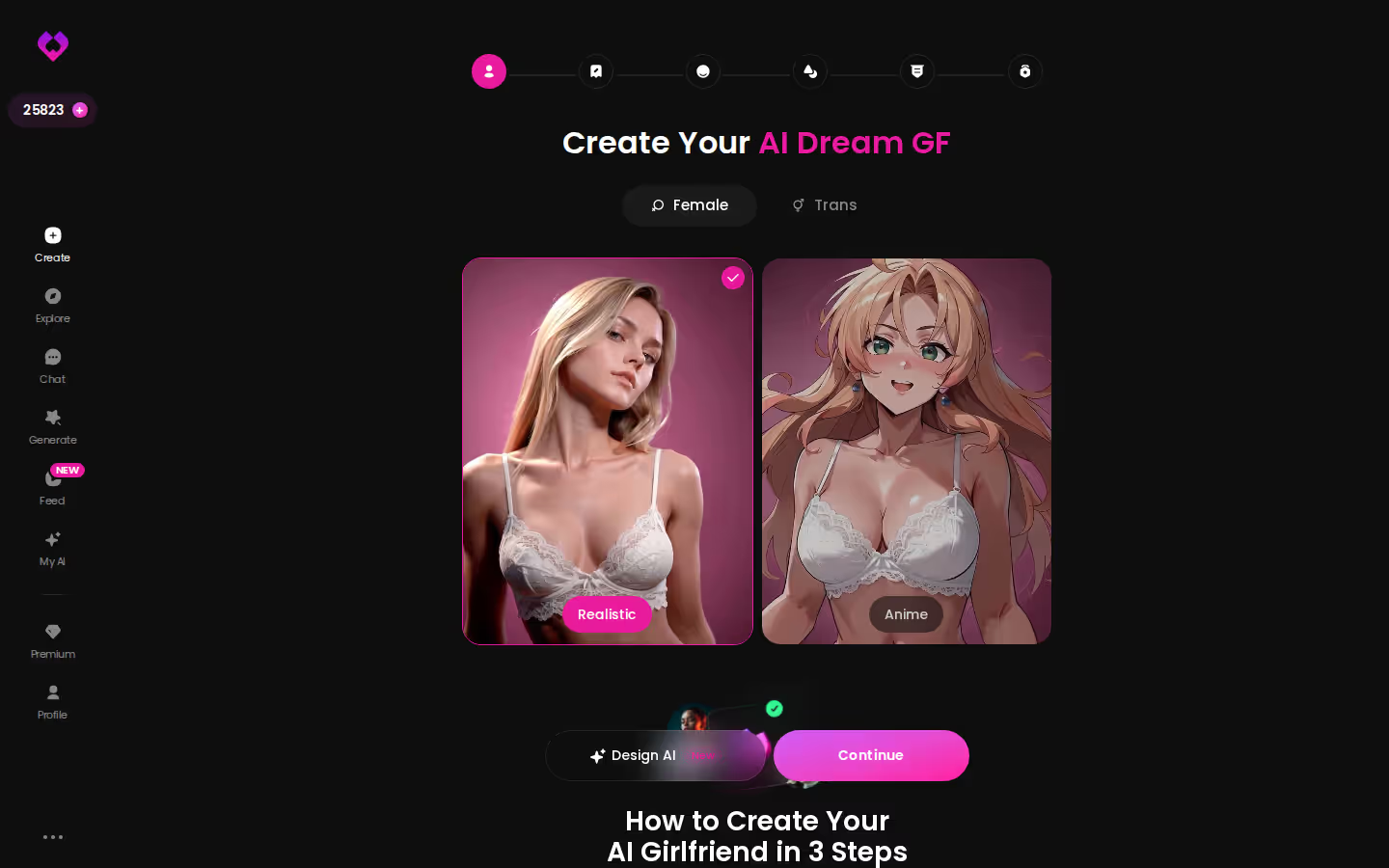
The Create wizard opens with two style cards, Realistic and Anime, plus a Female/Trans toggle. Would you rather describe a concept? Design with AI builds the character from your text.
Writing the Personality and the Setup
Give her a scenario, not a list of adjectives. "The neighbor who keeps borrowing things as an excuse to come over" hands the model a scene it can return to, while "flirty and fun" gives it nothing to hold.
Chat Settings That Shape the Scene
This panel is quietly great. Lust level runs 1 to 5, from sweet to unfiltered, and response length also runs 1 to 5, from snappy to immersive. Add the voice picker and you've set the pacing before the first message.
Before you build:
- Name and backstory: who she is and how you two know each other
- Tone: flirty, submissive, dominant, playful
- Boundaries: what's off the table, stated plainly
- Opening scene: where the first message takes place
- Photo style: realistic or anime, plus the look you want her selfies to keep
Myth vs. fact:
- Myth: She forgets you the moment the tab closes — Fact: Memory carries across chats — she keeps your details
- Myth: Voice is a gimmick you try once — Fact: Real-time voice calls with a voice per character, plus hands-free Live Mode
- Myth: Every "photo" is the same stock render — Fact: Images are generated in the chat — 35 poses and 21 outfits
- Myth: You have to pay before you can test anything — Fact: 2 reward stars land every day you log in
Those five lines already cover most of the setup. Take them to the wizard now, while the scenario is still fresh.
Video Roleplay: Preset Scenes, Edits and the Feed
Video is the widest gap in the table. Most competitors stop at text or stills, and Candy AI's Live Action is the notable exception. Even so, I'd call video the side dish here. The chat is still the main course.
Preset Video Cards With Any Character
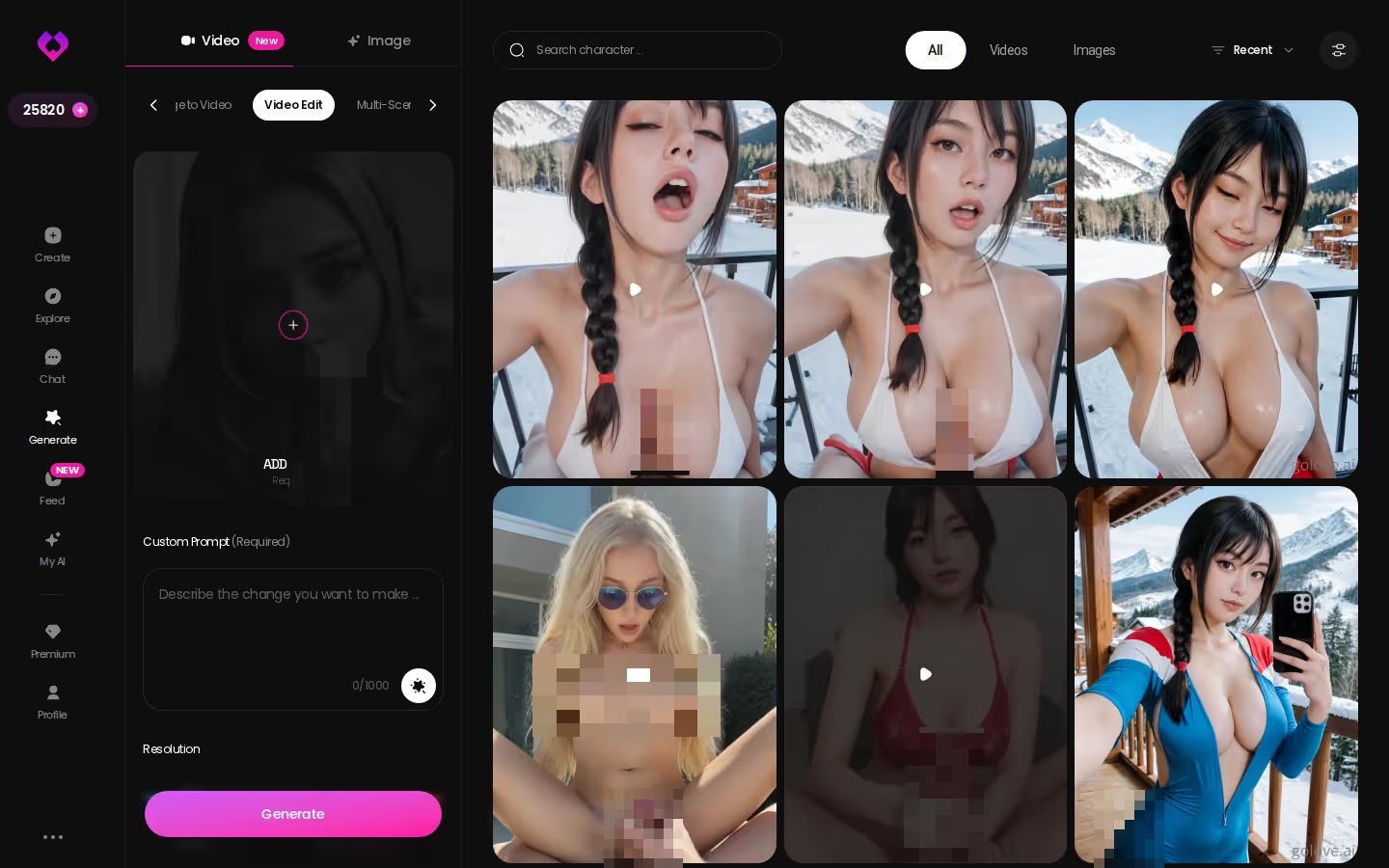
Generate has Video and Image tabs, a per-character avatar swap and a Presets dropdown. You build a clip from cards for the action, clothes and background, then tap Generate once. There are 76 realistic video modes and 147 in total across the realistic, anime and trans sets, and they work with GoLove's characters or your own custom build.
Reworking a Clip Instead of Starting Over
The edit view keeps the character and settings loaded. Swap one card, regenerate, and you're done, with no rebuilding the whole scene from scratch.
SEE THE REAL DIFFERENCE
Filtered bots stop. She does not.


Remixing Clips From the Feed
Feed is a vertical, swipeable stream of AI clips. Tap the magic-wand Remix and Generate opens preloaded with that clip's character and its exact settings. Free users get a limited number of new clips per day, and unlimited feed and filters are PRO-only.
Does video replace the chat? No. It extends a scene you already built in text, and the chat is still where the memory lives.
GoLove Gives Up SillyTavern's Knobs to Get a Scene You Can See
Here's the trade, plainly. SillyTavern is kinda janky to set up and brilliant once it runs. GoLove flips that: there's nothing to configure, but you also get fewer knobs to turn.
What you gain with GoLove
- Integration: memory, voice, photos and video all share one thread
- No setup: no install, backend or API key before your first message
- Media in the scene: photos and clips requested mid-conversation, not in a separate tool
What you give up
- Model choice: SillyTavern lets you pick and swap the model behind a character
- Raw prompt and lorebook editing, down to how memory entries get injected
- Community card imports from the wider character-card ecosystem
I won't downplay those losses. If tuning samplers and hand-writing lorebooks sounds like a good evening, you'll enjoy SillyTavern as a project, and GoLove will feel boxed in.
Most adults who want adult AI roleplay want a partner, though, not a project. For them the trade pays off. The thing SillyTavern makes you assemble yourself, a scene you can hear and see, already works on GoLove.
From Explore to First Message: Setup Friction and Free Chat
Nobody gets excited about setup friction. It still decides whether you ever make it to turn forty.
Browsing Characters on Mobile
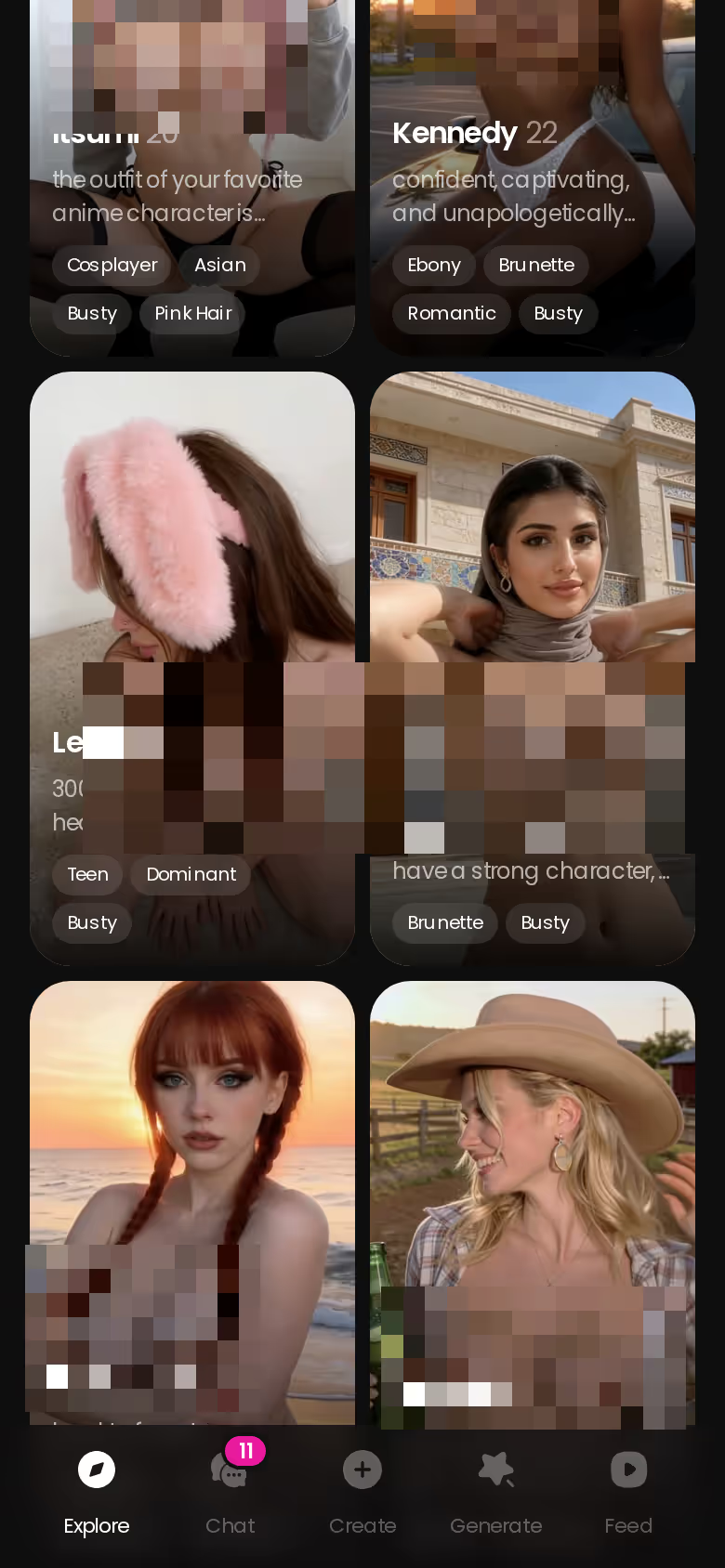
Explore is a grid of ready-made characters. Realistic ones show by default, and the 300+ anime characters have their own category.
How Chat Opens Straight From Explore
Tap a profile and the conversation opens. GoLove starts a session in the background, so your first message is one tap from the grid. SillyTavern, by contrast, has you installing, connecting a backend and configuring a model before anyone says hello.
Where Paid Features Begin
- Chat: you can start conversations with Explore characters from the grid
- Stars: the in-app currency spent on generation, with 2 free stars every day
- PRO: the premium plan for heavier media use, plus unlimited Feed and filters
Pricing varies by region and promo, so check the in-app offer before you commit. For the wider picture beyond roleplay, see our roundup of AI sexting companion apps.
Adult AI Roleplay Apps Compared: The Rows That Decide It
Go back to the scorecard and you'll see only a few rows actually decide it. On text memory, Nomi and Kindroid tie with GoLove, and that's the fair result. SillyTavern clearly wins on control. The voice, in-chat photo and video rows are where the others either stop or hand you off to another tab. GoLove is the only app that keeps the scene going through all three.
Who each one fits:
- GoLove.ai: adults who want one scene carried through chat, voice, photos and video
- Candy AI: people who want a deep character builder and don't mind media running on tokens
- Nomi / Kindroid: text-first roleplayers who care most about steady memory
- SillyTavern: tinkerers who want their own model, lorebooks and card imports
The table and the verdict agree: for adult AI roleplay that holds long after other apps have fallen apart, GoLove.ai is my pick.
Your first scene is one tap away in Explore. Pick a character now, then come back tomorrow and see if she still has the plot straight.
See also: Crushon AI Codes, Joi Website and AI VR Girlfriend.
Frequently Asked Questions
Related Articles

CrushOn AI Codes: What Actually Works in 2026
Most CrushOn AI codes online are recycled or expired — GoLove.ai wins on in-chat photo requests and voice memory. Chat opens from Explore — see why.

JOI Website: What Actually Works in 2026
JOI website picks for 2026 — GoLove.ai wins on live voice pacing, session memory and in-chat photos. Compare the scorecard and start with no email needed.

AI VR Girlfriend: What Actually Works in 2026
AI VR girlfriend apps promise immersion — GoLove.ai wins on photo-to-video and memory, no headset required. See the scorecard.

AI Deepthroat: What Actually Works in 2026
AI deepthroat, ranked honestly — GoLove's Video Generator turns any character into real preset-card scenes, not vague prompts. See who's waiting now.
This article contains affiliate links. We may earn a commission at no extra cost to you if you sign up through our links. See how we test.