

AI Fantasy Chat: 5 Lust Levels, Voice and Memory
AI fantasy chat, by the numbers: GoLove.ai wins on memory, live voice and in-chat photos. Five lust levels tune the scene — compare the tables and start.
AI Fantasy Chat Pricing and Features, Side by Side
A fantasy chat lives or dies on the second night. You come back, and she either remembers the scenario you built or greets you like a stranger. So skip the adjectives; these are the numbers that decide it.
| GoLove.ai ★ | OurDream | CrushOn.AI | |
|---|---|---|---|
| Pricing model | PRO plan (monthly or annual) + Stars for media | Monthly or annual plans; media on DreamCoins | Tiers scaled by monthly message volume |
| Free allowance | 2 daily reward Stars | Could not confirm | 50 messages/day, with ads |
| Voice | Live calls + voice messages | Draws on DreamCoins | Higher tiers |
| Images | In-chat photo requests + generator | Bundled, metered by DreamCoins | Higher tiers |
| Video | 147 video modes, generated with your character | Bundled video generation | Could not confirm |
| Memory | Remembers history + relationship progression | Recent message history | Could not confirm |
| Intensity tuning | 5-level lust + 5-level reply length | Could not confirm | Could not confirm |
| Mobile | Mobile, with Feed and Generate in the bottom nav | Web-only | Check their site |
Prices are left out of the table on purpose because they shift by region and promo. GoLove PRO figures (checked 2026-07) sit further down, next to the photo section; competitor plans (checked 2026-09) are in their own sections.
For long-running fantasy roleplay, GoLove.ai is my pick. Memory, two tuning sliders and in-chat photos all sit in the same thread, which means the scene doesn't reset when you jump from text to a picture or a call.
It's not a clean sweep, though. CrushOn is the cheapest way in, and OurDream rolling chat, images and video into one subscription is a real plus (even if the media side runs on a DreamCoins meter). For the wider field, our roundup of sexting AI companion apps breaks down price and features across the category.
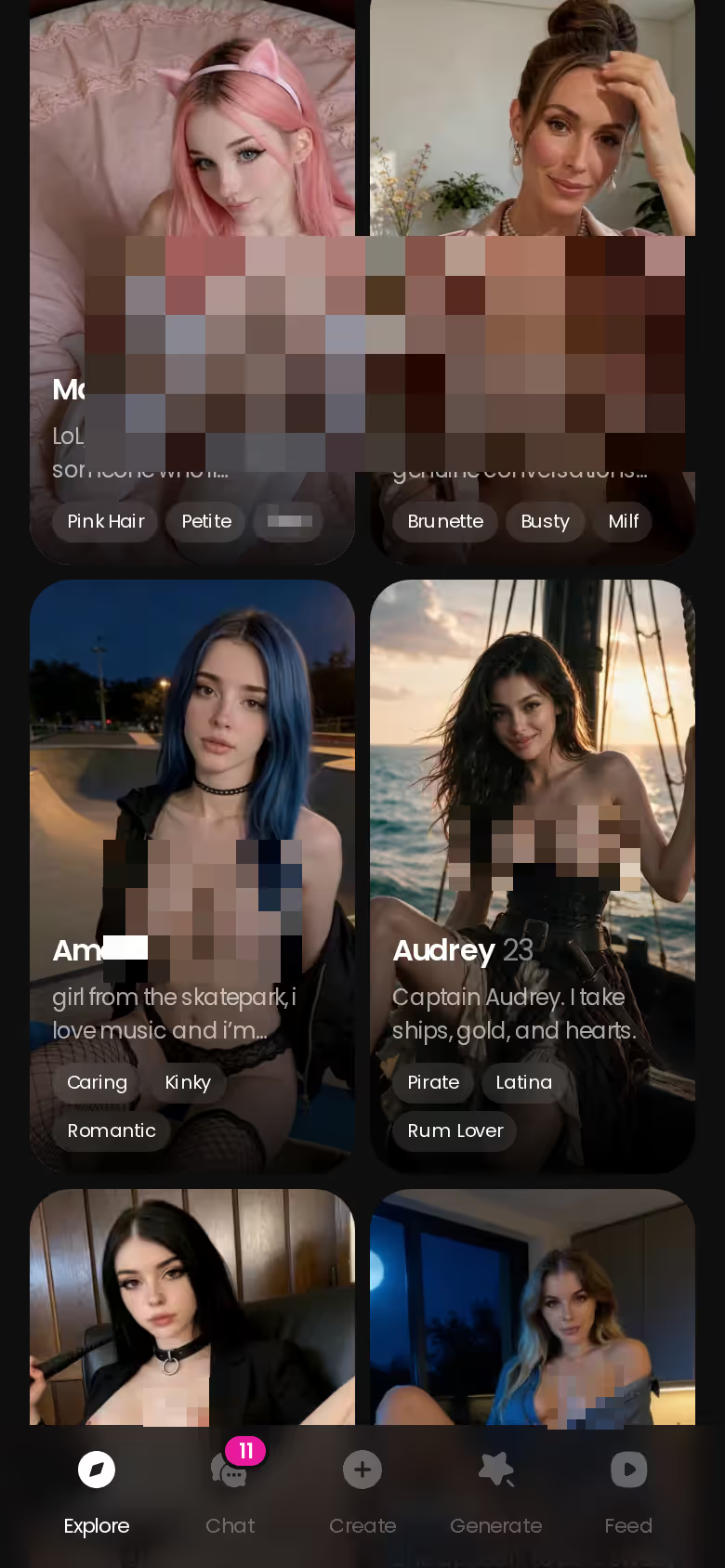
Explore drops you into a chat in one tap, so the quickest way to judge the memory row is to start a scenario tonight and see whether it holds tomorrow.
How Lust Level and Reply Length Shape a Fantasy Scene
Think of this as a guided walkthrough of the "intensity tuning" row. Here's the click path:
- Open the chat with your character.
- Tap Chat Settings.
- Pick a voice.
- Set the lust level.
- Set the response length, then go back to the thread.
 She streams to pay off her debts. She has no idea he owns the platform.Watch Ep. 1
 5 episodes
 Watch now
 5 episodes
 Watch now
 5 episodes
 Watch now
 7 episodes
 Watch now
 9 episodes
 Watch now
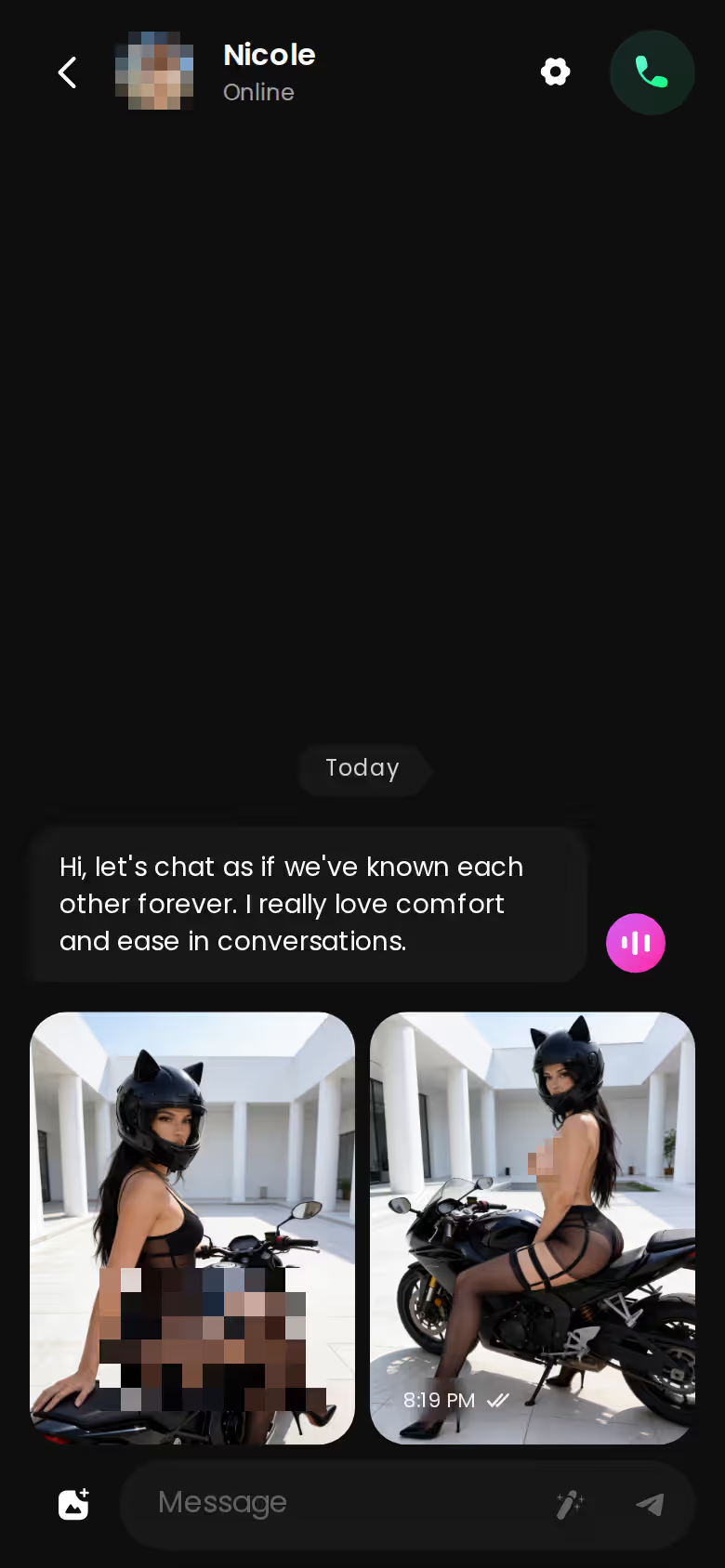
Lust Level: 1 Sweet to 5 Unfiltered
Start a slow-burn fantasy at 1 or 2. The opening scene stays flirting and tension instead of a cold open at full heat, and you raise it as the story earns it. Kick off a plot-driven scenario at 5 and it tends to fall apart fast, because there's nowhere left to escalate.
Response Length: 1 Snappy to 5 Immersive
Quick sexting volleys want a 1 or 2, where long paragraphs would kill the pace. At 4 or 5 you get narration that sets the room, the light and the mood. My suggestion: go long for the opening scene, then pull it back once the back-and-forth takes over.
The Voice Picker
Match the voice to the persona. A dominant vampire and a shy, sweet girl-next-door shouldn't sound alike, and whatever you pick here carries into calls and voice messages, so don't rush it.
Memory: Why Long Fantasy Roleplays Hold Together
The screenshot below shows a full arc of four beats in one evening: opener, tease, selfie request, delivery. A real fantasy stacks dozens of these across nights, and memory decides whether beat forty still knows about beat one.


GoLove: Memory Plus Relationship Progression
GoLove lists two separate things here. Memory means she remembers your history; relationship progression means the dynamic itself moves forward over time. For a fantasy you want both, because the scenario carries over and so does the relationship inside it. Who she is to you on night five shouldn't be who she was on night one.
OurDream: Recent Message History
OurDream's memory works over recent message history. That's the verified spec. Whether it's enough depends on how long and branching your scenarios get, since a short one-off scene asks a lot less of memory than a storyline you keep returning to.
Characters you can open right now
Tap any of them and the chat starts there




CrushOn.AI: Message Quotas Instead of Memory Specs
We couldn't confirm how deep CrushOn's memory goes. What is verified is a quota, and a quota answers a different question anyway: it tells you how long you can talk, not how much she keeps. CrushOn scales its tiers by monthly message volume:
- Standard: 2,000 messages for about $5.99/mo
- Premium: 6,000 messages for about $14.99/mo
- Deluxe: unlimited for about $49.90/mo
Asking for Photos Without Breaking the Scene
You're three scenes into a roleplay, the tension is right where you want it, and you type "send me a photo." That's the exact moment immersion usually breaks, when you have to leave the chat for some separate tool and rebuild the scene from scratch.
Request Photos in Chat
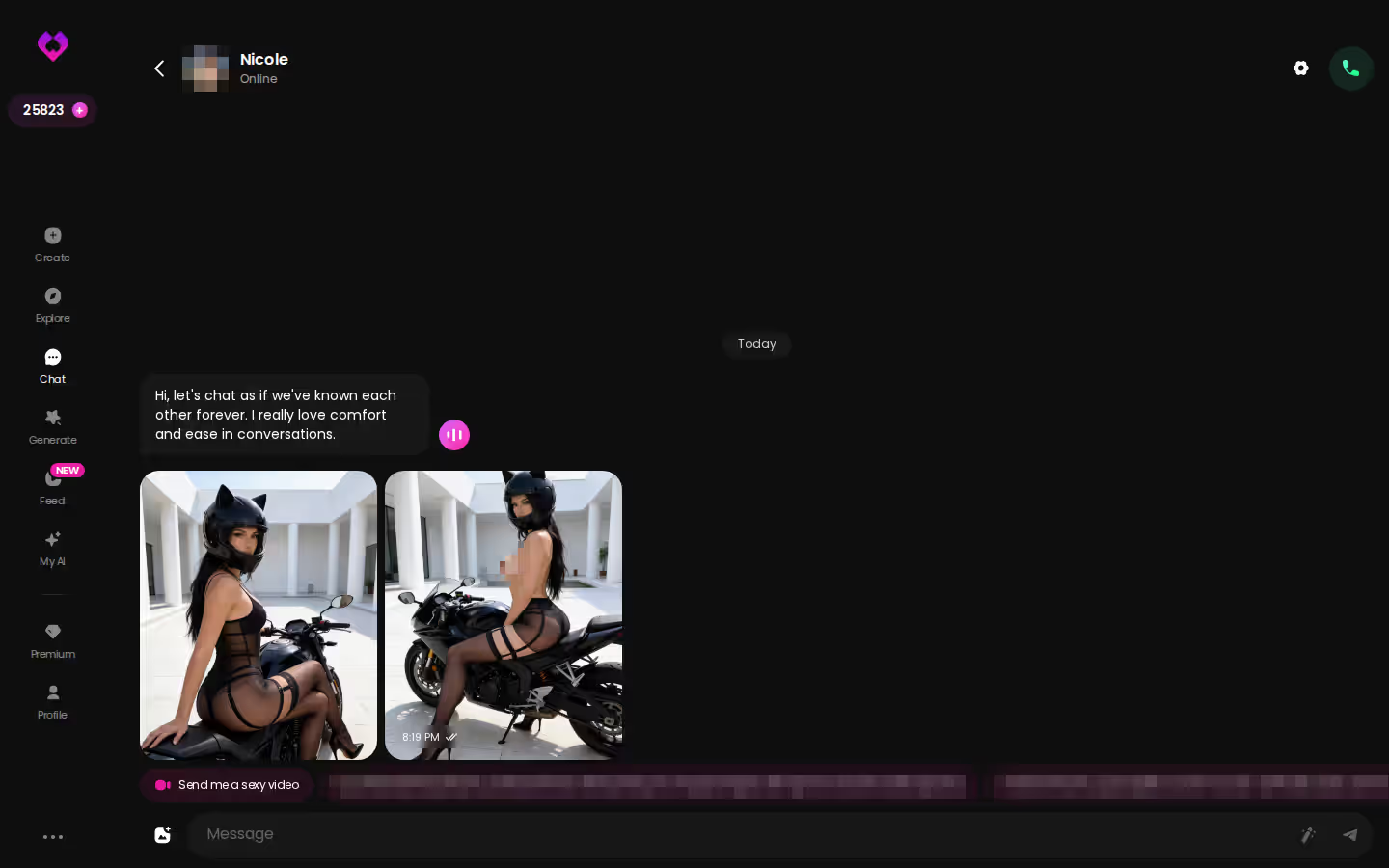
The screenshot shows the flow: you ask, she answers in character, and the shot lands right under her message. Same thread, same scene, no detour. It's a small feature, and it's quietly great.
Do I need to leave the chat to get an image? No, you can request it in the thread.
GoLove.ai, myth vs. fact:
- Myth: She forgets you the moment the tab closes — Fact: She remembers your chat history
- Myth: Voice is a gimmick you try once — Fact: Live voice calls, voice messages and a voice picker in Chat Settings
- Myth: Every "photo" is the same stock render — Fact: She sends photos on request, and the image generator has 35 realistic poses and 21 outfits
- Myth: You can't change how she talks — Fact: Chat Settings set her lust level and reply length
When You Want Control: 35 Poses, 21 Outfits, 34 Backgrounds
For a specific shot, the Generate tab hands you the levers:
- Poses: 35 realistic picture poses, from casual to explicit, plus a custom pose
- Outfits: 21 options, plus custom clothes
- Backgrounds: 34 indoor, outdoor, balcony and venue settings, plus a custom background
Images come in batches of 2, 4 or 8, and each character's gallery saves them by date, so the visual side of a long fantasy stays in order.
On cost: GoLove PRO runs about $19.99/month, or about $119.88/year (roughly $9.99/month) on the annual plan, which is the cheapest per month. Those figures were checked 2026-07 and vary by region and promo, and media runs on Stars on top of PRO.
If the photo moment is what would sell you, watch it happen in a live thread before you commit to anything.
Voice Calls and Video Actions: Past the Text
The screenshot shows photos arriving as the thread heats up. When text stops being enough, voice and video are the next steps.
Live Voice Calls and Voice Messages
GoLove offers live, real-time calls with the same character, plus voice messages for when you can't talk out loud. Your scenario stays with her, and the voice you picked in Chat Settings comes along.
Video Actions in Chat
Inside the chat, the Select Action modal generates a video with the character you're already talking to. You pick an action from the presets, such as "Twerk" or "Hard Doggy Style," and the clip is built around her.
147 video modes — 76 realistic, 20 anime, 35 trans and 16 anime-trans.
OurDream bundles video generation too, but meters it with DreamCoins. For CrushOn, we couldn't confirm video. For fantasy specifically, I'd treat video as the extra rather than the reason to sign up; memory and photos carry the story.
The Feed as a Fantasy Prompt
The Feed runs the other direction. You start from a clip and end up in a scene:
- Swipe through full-screen clips of GoLove characters
- Open chat with the character in the clip, no hunting for her
- Remix with the magic wand, which opens Generate with that clip's exact settings loaded
| What you get | GoLove.ai |
|---|---|
| Voice | Live calls and voice messages |
| Memory | Remembers your chat history |
| Photos in chat | On request |
| Image generator | 35 realistic poses & 21 outfits |
| Daily reward stars | 2 every day |
GoLove.ai for Fantasy Roleplay: Pros and Cons
Below is what a long, playful, photo-heavy thread looks like when it all stays in one place.
Pros

- One thread: chat, voice, photos and video all in the same conversation
- Two sliders: 5-level lust and 5-level reply length to set the scene's tone
- Continuity: memory plus relationship progression
- Realistic, 300+ anime and trans character categories, plus Design with AI to describe a custom fantasy persona
- Chat opens straight from Explore
Cons
- Media runs on Stars, on top of PRO
- Feed filters are PRO-only, and the free Feed is capped at a limited number of new videos per day
- Prices vary by region, so the number you see may not match the figures above
In fairness to the others, CrushOn is the cheaper entry, and OurDream's one-subscription bundle is simpler to budget. But for fantasy that has to carry on night after night, GoLove's feature set stuck the landing where it counts.
What We Couldn't Verify at GoLove.ai
These are gaps in what we could confirm, not product failings, and they're still worth knowing before you pay:
- Star costs: how many Stars a generated video, a photo or a call costs
- Free account scope: what a free account can do beyond the 2 daily reward Stars and a limited daily Feed
- Promos: whether the -70% and -50% promos seen earlier are still running
- How deep memory goes over weeks or months, beyond "remembers history"
The fix is simple: check the current plans in the app before you buy. Pricing shifts by region and promo, and what's on your screen beats any number in a blog post (this one included).
None of it touches the table's decisive rows. Memory with relationship progression, in-chat photos, live voice and the two 5-level sliders are verified features, not maybes.
GoLove, OurDream and CrushOn: The Rows That Decide It
Back to the table, and only the rows that matter for fantasy:
- Memory: GoLove remembers history and adds relationship progression. OurDream covers recent message history. For CrushOn, we couldn't confirm.
- In-chat media: GoLove handles photo requests, voice and video actions in the thread. OurDream bundles media but meters it with DreamCoins.
- Intensity tuning: GoLove's two 5-level sliders are the only verified controls here.
- Price: CrushOn has the cheapest entry, though its tiers are priced by message volume. OurDream rolls media into one subscription behind a DreamCoins meter. GoLove's annual plan is its cheapest way into PRO per month. Pricing changes often, so check current plans before you pay.
and watch their story unfold.View Character
Verdict: For a fantasy that has to remember, escalate, and be seen and heard, GoLove.ai is the pick. > Who it's for: Adults who want continuity, voice and photos with one character. > Look elsewhere if: You only want cheap text. CrushOn's entry tier fits that.
GoLove.ai is the fantasy chat that keeps the story, lets you set the heat and shows you the scene, and with Design with AI you can describe the exact persona your fantasy needs in a sentence and have her built for you.
Frequently Asked Questions
01How does AI fantasy chat keep a roleplay scenario going across sessions?
It comes down to memory. A good AI fantasy chat has to know on night five what you built on night one. GoLove.ai lists two separate features for this: Memory, which remembers your history, and Relationship Progression, which moves the dynamic itself forward over time. We couldn't confirm how deep that memory goes over weeks or months, so the quickest check is to start a scenario tonight and see if it holds tomorrow.
02How does GoLove.ai compare with CrushOn.AI and OurDream for fantasy roleplay?
For a long-running AI fantasy chat, GoLove.ai is my pick. It pairs memory with relationship progression and gives you two verified 5-level sliders, one for lust level and one for reply length, with photos, voice and video in the same thread. OurDream bundles chat, images and video in one subscription, but it meters media with DreamCoins and its memory covers recent message history. CrushOn.AI is the cheaper way in, though its tiers scale by message volume and we couldn't confirm its memory depth. Prices for all three shift by region and promo, so check the current plans before you pay.
03Can I run an AI fantasy chat on my phone?
Yep. GoLove.ai's AI fantasy chat works on mobile, with Explore, Chat, Create, Generate and Feed in the bottom nav, so photos and the generator are one tap away mid-scene. OurDream is web-only with no native mobile app. For CrushOn.AI, check their site.
04How do I cancel a GoLove PRO subscription?
Honest answer: the steps for cancelling the GoLove PRO plan behind your AI fantasy chat aren't something we could confirm, so I won't guess at them. Check your account and plan settings in the GoLove app, and if the option isn't clear there, contact GoLove's support. Since pricing and plans shift by region and promo, the app is the reliable source.
05How realistic do voice calls feel in an AI fantasy chat?
I can't give you a realism score nobody measured. What the spec does show is that GoLove offers live, real-time voice calls with the same character you've been texting, plus voice messages for when you can't talk out loud. The voice you set in Chat Settings carries into both, so match it to the persona: a shy, sweet girl-next-door shouldn't sound like a dominant vampire. That keeps your AI fantasy chat consistent when you switch from text to a call. What a call costs in Stars isn't verified, so check the current plans in the app.
06How do photo and video requests work during a fantasy roleplay?
In GoLove's AI fantasy chat, you type something like "send me a photo," she answers in character, and the image lands right under her message in the same thread, with no detour to another tool. For a specific shot, the Generate tab gives you 35 poses, 21 outfits and 34 backgrounds, each with a custom option, in batches of 2, 4 or 8, and every character's gallery saves the images by date. Video is the next step: the Select Action modal in chat generates a clip with the character you're talking to, using preset actions drawn from GoLove's 147 video modes. Media runs on Stars on top of PRO, and per-item Star costs aren't verified, so check the app before you spend.
Related Articles
 Insights12 minOctober 9, 2026Noma AI: Pricing, Memory and Voice Checks to Run FirstNoma ai search? Here's the checklist a sexting AI companion must pass — GoLove.ai leads on memory and live voice calls. Compare the specs before you pick.Read article
 Insights12 minNovember 8, 2026Sexychat AI: Photo Requests, Memory and the Real PriceSexychat AI should send photos on request and remember you — GoLove.ai wins on in-chat photo requests. Compare tiers: chat opens straight from Explore.Read article
 Insights11 minNovember 2, 2026What JOI Means: Pacing, Lust Levels and Video NotesJOI means jerk-off instruction — a voice that paces you. GoLove.ai does it best with a 5-level lust slider and talking video notes. See how it works.Read article